Work in progress
Home menu
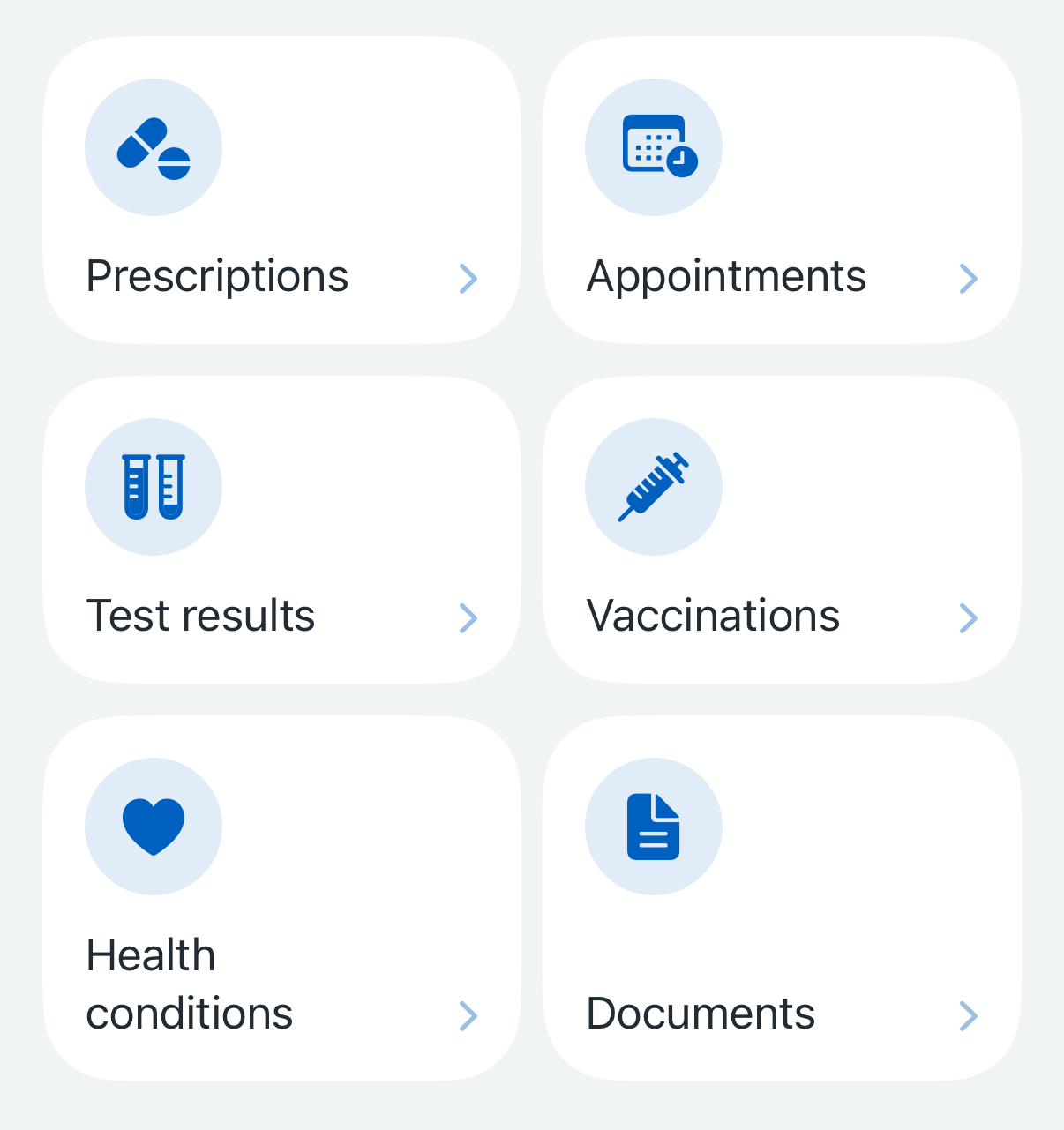
The home menu lists the main sections of the app.
When to use
Use it once, on the home screen.
When not to use
Do not use it on any sub-sections or anywhere that’s not the home screen.
How it works
Each item in the home menu has an icon and a short label.
The layout varies by screen size and text size:
on mobile at standard text size, the menu appears as a grid with 2 columns
on tablets or in landscape on larger phones, the grid contains 3 columns
at larger text sizes, the menu switches to a single column grid
at very large text sizes, the icon is no longer shown.
How to use
Use the home menu within a SwiftUI view:
Swift options
Option
Description
accessibilityLabelA label to describe the overall menu. This isn't visible but is read out by VoiceOver
titleThe visible label for each menu item
systemImageThe name of the icon from SF Symbols to use for each menu item
Copy code
HomeMenu (accessibilityLabel: "Health services" ) {
HomeMenuItem (title: "Prescriptions" , systemImage: "pills.fill" ) { }
HomeMenuItem (title: "Vaccinations" , systemImage: "syringe.fill" ) { }
}
Actions
Each item will trigger an action when tapped. Specify this using the action closure.
Usually this will navigate to a new screen. A common pattern is to push a value onto a NavigationPath and use the .navigationDestination(for:) modifier to map that value to a destination view:
Copy code
enum HomeDestination : Hashable {
case prescriptions
case vaccinations
}
struct ContentView : View {
@State private var path = NavigationPath ()
var body: some View {
NavigationStack (path: $path ) {
HomeMenu (accessibilityLabel: "Health services" ) {
HomeMenuItem (title: "Prescriptions" , systemImage: "pills.fill" ) {
path.append(HomeDestination .prescriptions)
}
HomeMenuItem (title: "Vaccinations" , systemImage: "syringe.fill" ) {
path.append(HomeDestination .vaccinations)
}
}
.navigationDestination(for: HomeDestination .self ) { destination in
switch destination {
case .prescriptions:
PrescriptionsView ()
case .vaccinations:
VaccinationsView ()
}
}
}
}
}
The action could also present a view as a modal sheet instead of navigating to it.
For example, if the user does not yet have access to their records, a separate view can be presented to them as a modal sheet:
Copy code
enum HomeDestination : Hashable {
case prescriptions
case vaccinations
}
struct ContentView : View {
@State private var path = NavigationPath ()
@State private var showGetAccess = false
let hasAccess: Bool
var body: some View {
NavigationStack (path: $path ) {
HomeMenu (accessibilityLabel: "Health services" ) {
HomeMenuItem (title: "Prescriptions" , systemImage: "pills.fill" ) {
if hasAccess {
path.append(HomeDestination .prescriptions)
} else {
showGetAccess = true
}
}
HomeMenuItem (title: "Vaccinations" , systemImage: "syringe.fill" ) {
if hasAccess {
path.append(HomeDestination .vaccinations)
} else {
showGetAccess = true
}
}
}
.navigationDestination(for: HomeDestination .self ) { destination in
switch destination {
case .prescriptions:
PrescriptionsView ()
case .vaccinations:
VaccinationsView ()
}
}
}
.sheet(isPresented: $showGetAccess ) {
GetAccessView ()
}
}
}
Accessibility
This component supports Dynamic Type, Dark Mode and VoiceOver.
The title for each menu item is read out by VoiceOver. The icon images are not read out.
Research
This component is not yet being used by the live NHS App, but several rounds of research have been done on it.