Hubs
Hubs act as the primary navigation structure of the NHS App, helping users access the services and information they need.
There are three hubs: Home, Messages and Profile. From these hubs, users can follow links to start various journeys or move deeper into lower menus called sub-hubs.
Users navigate between hubs using the bottom navigation bar, which is accessible from wherever you are in the app.
Home
Home is where users start most of their journeys to arrange healthcare or manage their health. It acts as the main menu of the app for almost all health-related tasks.
Home includes core health categories, NHS information and support, and a campaign card.
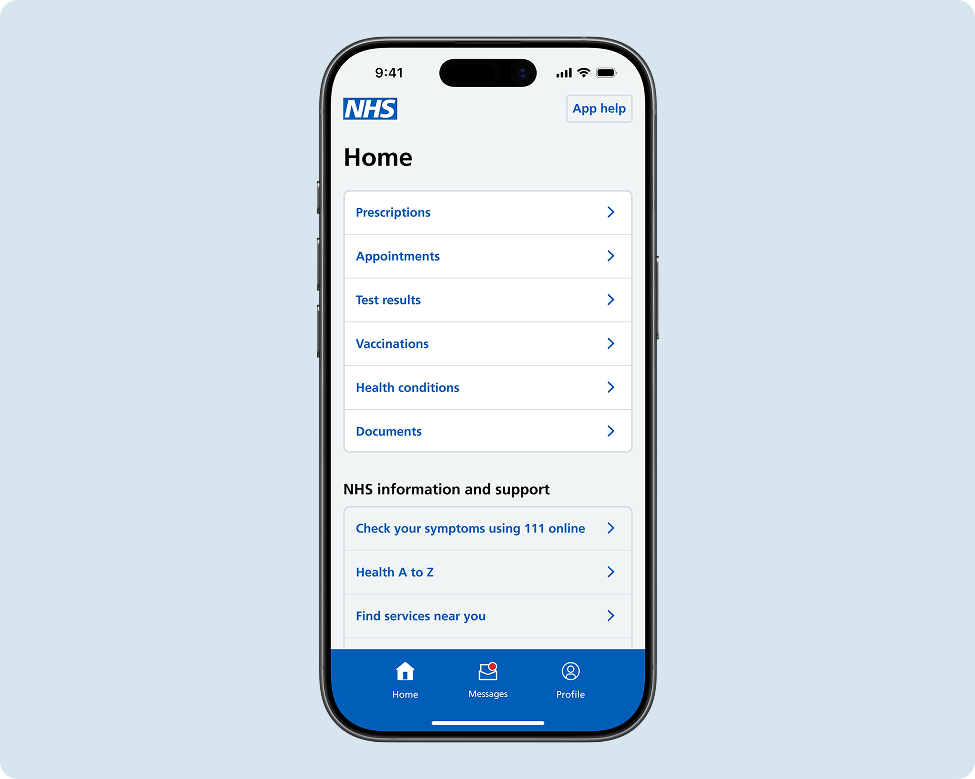
Home organises health-related services and data into a set of core categories:
- Prescriptions – request and track repeat prescriptions, and view medicines history
- Appointments – book, view, and manage GP appointments
- Test results – view test result records
- Vaccinations – check and book vaccinations, and view vaccination records
- Health conditions – view information about diagnosed health conditions
- Documents – access letters and other health documents
Most of the services and health information in the app fit into these categories. Research shows the categories have a high first-click success rate, meaning many users are able to navigate to the right place on their first attempt.
NHS information and support
Home also gives users access to broader national NHS services and information resources. These options include 111 online and help finding local health services.
Campaign card
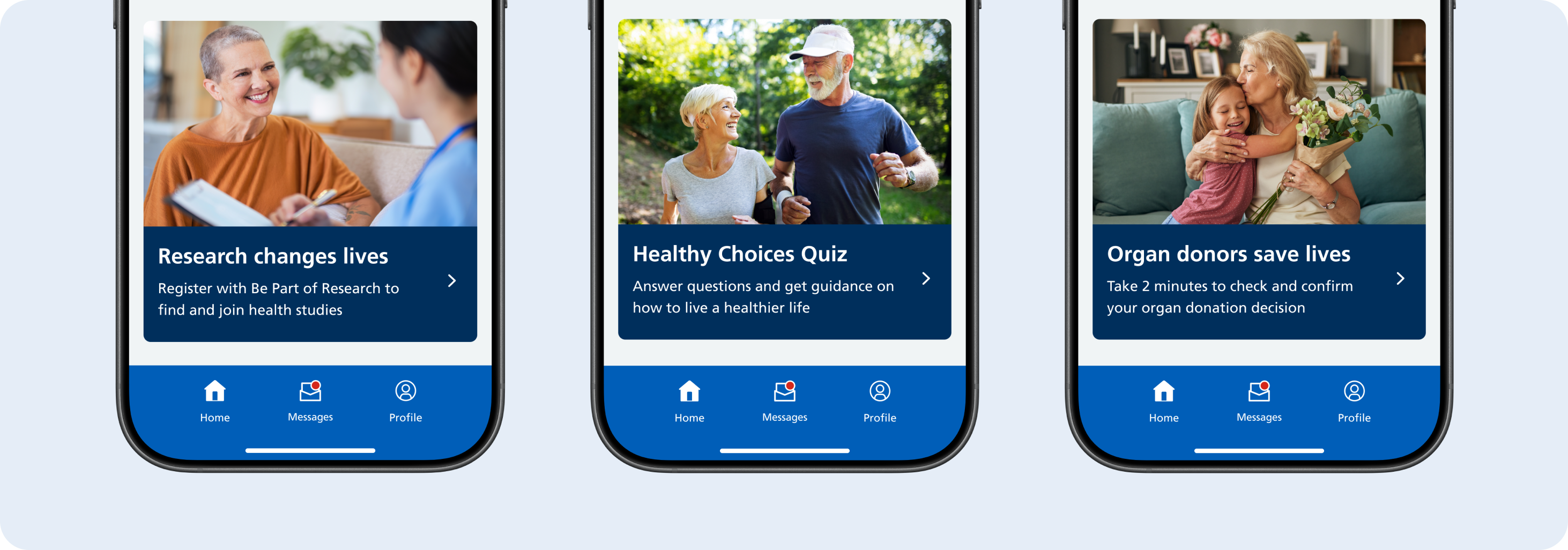
Seasonal or topical campaigns are promoted at the bottom of the NHS App home screen, such as COVID or flu vaccines, blood donation or being part of health research. The campaign card helps users to learn about health campaigns.
Messages
Messages is where users can read, and sometimes reply to, messages from their healthcare services. The number and type of inboxes available to them will depend on their GP surgery.
Inboxes
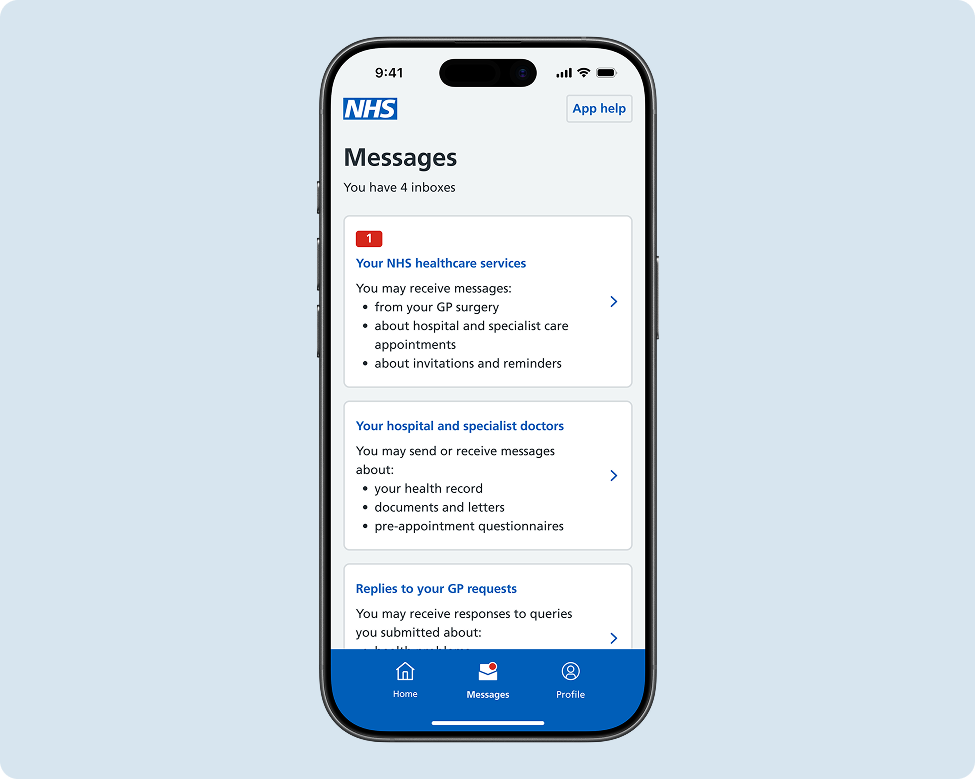
The Messages hub contains inboxes depending on what the user's GP surgery or hospital trust has configured. Users may have:
- a GP surgery inbox for messages from their surgery
- hospital inboxes for messages from secondary care providers
- other healthcare service inboxes
The number and type of inboxes available varies based on the IT systems and configurations at each user's care settings. Some users will only have one inbox, while others may have up to 4.
Profile
The purpose of Profile is to display the user's personal information and preferences. Users can:
- view and update their contact and login details
- set health preferences
- manage services for another person
- change app settings
- log out of the NHS App
Personal information card
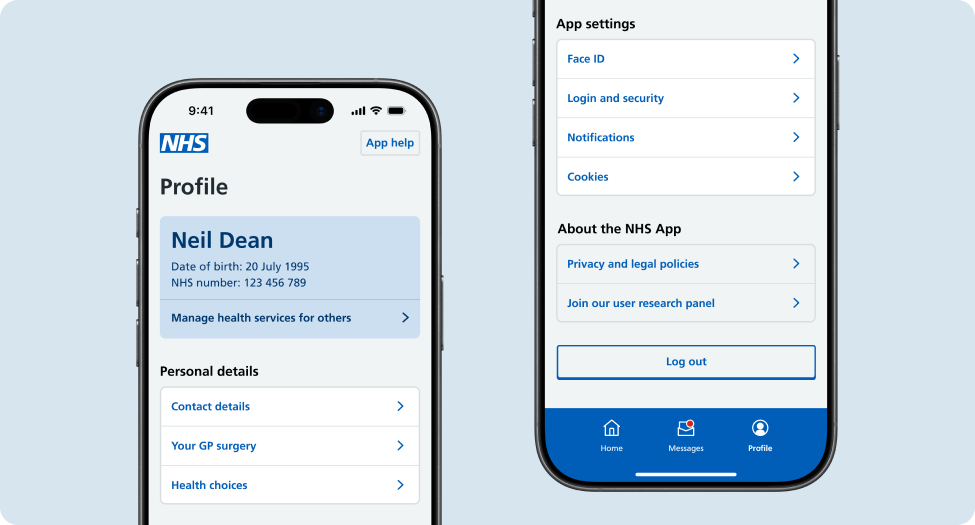
At the top of Profile, users see a summary card showing key user details:
- their name
- their date of birth
- their NHS number
- navigation to family and carer access (also known as proxy access)
This card provides quick access to key identifying information and the ability to switch profiles using family and carer access. Given its distinct visual appearance, it also helps users have a sense of place in the app when on the Profile hub.
Personal details and app settings
The Profile section is a combination of health and non-health related preferences. Research showed that Profile is the obvious place for users to navigate to for non-health related things like contact details and app settings. However, there are a few health preferences which users expect to be in the Profile section, such as organ donation decision and access to care plans.
Making changes to the structure of a hub
Hubs form the core structure of the NHS App. Because of their foundational role in how users navigate and understand the app, these screens are carefully maintained and protected from frequent or big changes.
The Navigation and Onboarding team is responsible for the structure and content of all hubs and have final say on changes. Any proposed changes to hubs must be designed, researched and approved by this team.
If you need to add a new journey or service, or believe a change to a hub would improve the user experience, you should contact the IA and Navigation team early in your design process.